Obsidian / Properties
Align the values of the notes and connect them to the listUse properties in Obsidian
From frontmatter to a list
This page was machine-translated from Japanese. Read the Japanese original
Save the state, number, check, date, and tag in the note, and display the record that meets the conditions in Dataview. This is an introduction to the real GUI operation using three fictional cases and the saved Markdown confirmed.
The property is the UI that handles the YAML at the beginning of the note
The names and values entered in Properties will be stored in the frontmatter at the beginning of the note. For example, if you have status: 進行中, you can select the "in progress" note in the WHERE condition of Dataview. The treatment is different from the normal sentence written in the text.
First, decide what you want to compare and use a small number of items. In this example, the status is status, the priority is priority, the completion is done, the expiration date is due, and the classification is tags. It is a fictional record created by the author, not the user's data.
Decide the name, type, and value in order
- Open the note and add an item from Add property or the official
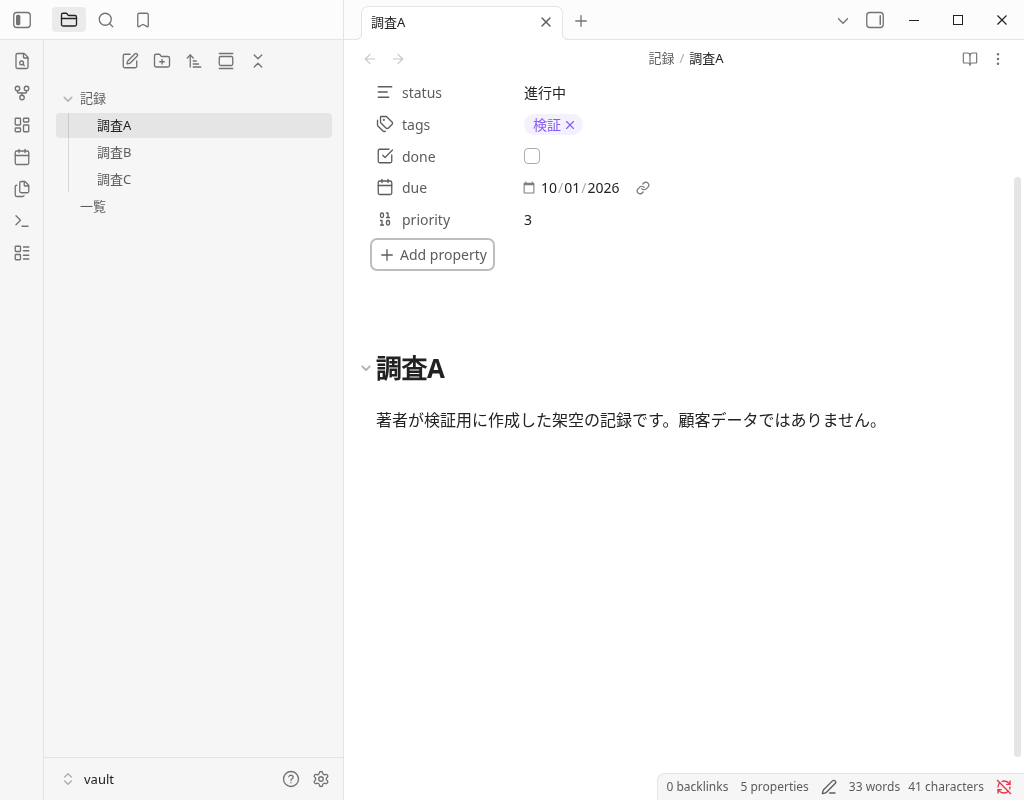
Ctrl/Cmd+;. In the actual machine example, click Add property and addpriority. - Press the type icon next to the item name, open Property type and select the type. On the actual machine, I selected Number, entered 3, and saved it.
- The existing
statushas selected Text and changed it from "unstarted" to "in progress". I have confirmed that the check, date input, and tags input will also be changed in the actual UI and reflected in the saved YAML. - Tags do not end with just entering characters, but press Enter to confirm with focused input. This auxiliary operation could not be confirmed once, so I checked the save by Enter and focus move again.
| Name | Type and value of this example | What I did on the actual machine |
|---|---|---|
| status | Text / 進行中 | Selected Text; changed 未着手→進行中 |
| priority | Number / 3 | Add items, select Number, enter 3 |
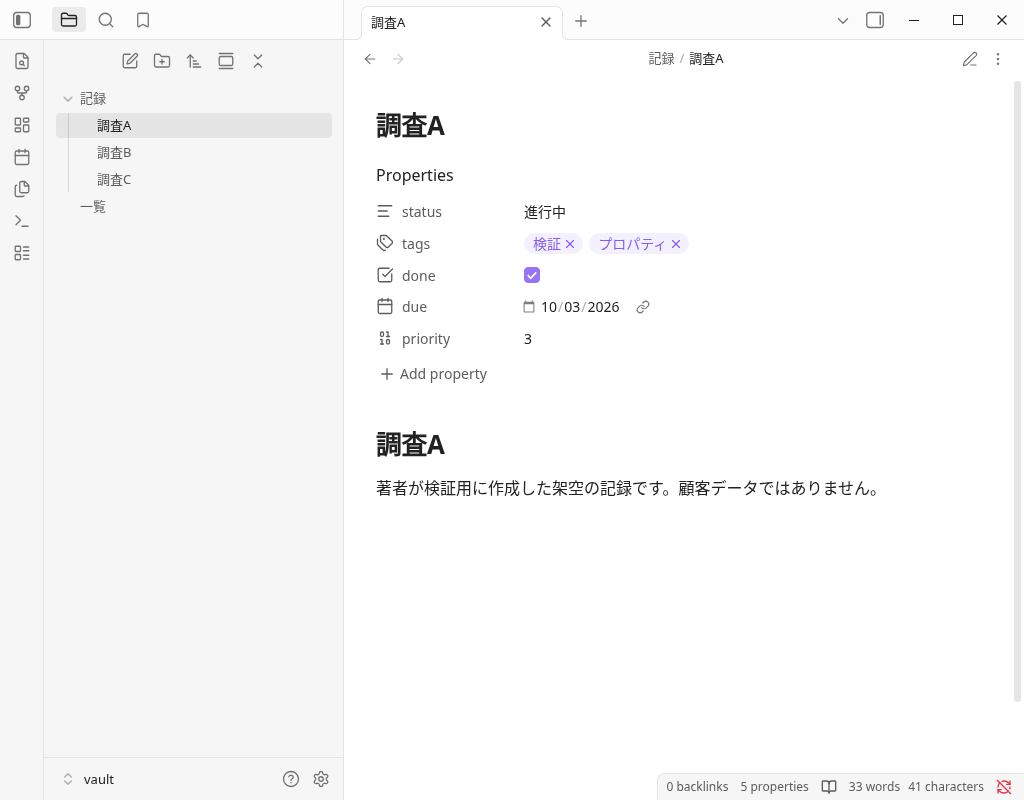
| done | Checkbox / true or false | false→true→false, finally true |
| due | Date / 2026-10-03 | October 1→October 3 |
| tags | Tags / Verification, Properties | Add a property and confirm |
In the official document, the type with the same name is common throughout the vault. Before reusing the same name for a value with another meaning, check the type and purpose. Types that are not covered here, such as List and Date & time, are not included in this operation confirmation.
Check the saved frontmatter
The following is the full text of the last saved text of Survey A, 211 bytes. After changing the done to true in the GUI, it is the same content as the original Markdown, including the text.
View the full text of the save Markdown of Survey A
---
status: 進行中
tags:
  - 検証
  - プロパティ
done: true
due: 2026-10-03
priority: 3
---

# 調査A

著者が検証用に作成した架空の記録です。顧客データではありません。
In the official document, frontmatter surrounds the beginning of the file with --- and describes it in the YAML format of 名前: 値. Do not duplicate property names in one note. The numbers 3 and check true in this example are saved as numbers and booleans, respectively. Date is a confirmation that saves this value, not the result of verifying the correctness of all date formats and inputs.
Make the same value a condition for TABLE and LIST
We copied the three files from the official stable Dataview release into an isolated vault in advance, then enabled the plugin through the actual trust confirmation. This does not test the Browse/Install interface. Because plugins execute third-party code, check the distribution source and terms before choosing one.
The release name was 0.5.70, and the distribution manifest and the actual screen display version was 0.5.68. The minimum version of Obsidian required is 0.13.11 on manifest, and the Obsidian that actually moved is 1.13.7. The DataviewJS setting is false, and the following DQL is entered into the actual editor and displayed in the Reading view.
Match the folder name 記録, item name, and status string. Survey A/B is in progress, C is complete.
# Properties接続検証

著者が作成した架空の3件だけを表示します。

## 進行中の表

```dataview
TABLE status AS "状態", priority AS "優先度", done AS "完了", due AS "期限"
FROM "記録"
WHERE status = "進行中"
SORT file.name ASC
```

## 未完了の一覧

```dataview
LIST
FROM "記録"
WHERE done = false
SORT file.name ASC
```

## 保留の該当なし

```dataview
LIST
FROM "記録"
WHERE status = "保留"
SORT file.name ASC
```
TABLE displays the two in-progress entries in a table; LIST displays notes whose done property is false. The final LIST selects pending notes, and we also checked its actual display when no notes matched. We did not test every DQL feature, inline fields, or DataviewJS here.
If you change the completion check, the unfinished list will change from 2 to 1
| Conditions | Survey A's done=false | After changing to done=true in the GUI |
|---|---|---|
| TABLE with status = 進行中 | Survey A・B / 2 cases | Survey A・B / 2 cases. Display the completion value of A true |
| done = false LIST | Survey A・C / 2 cases | Survey C / 1 cases |
| status = Pending LIST | Not applicable | Not applicable |
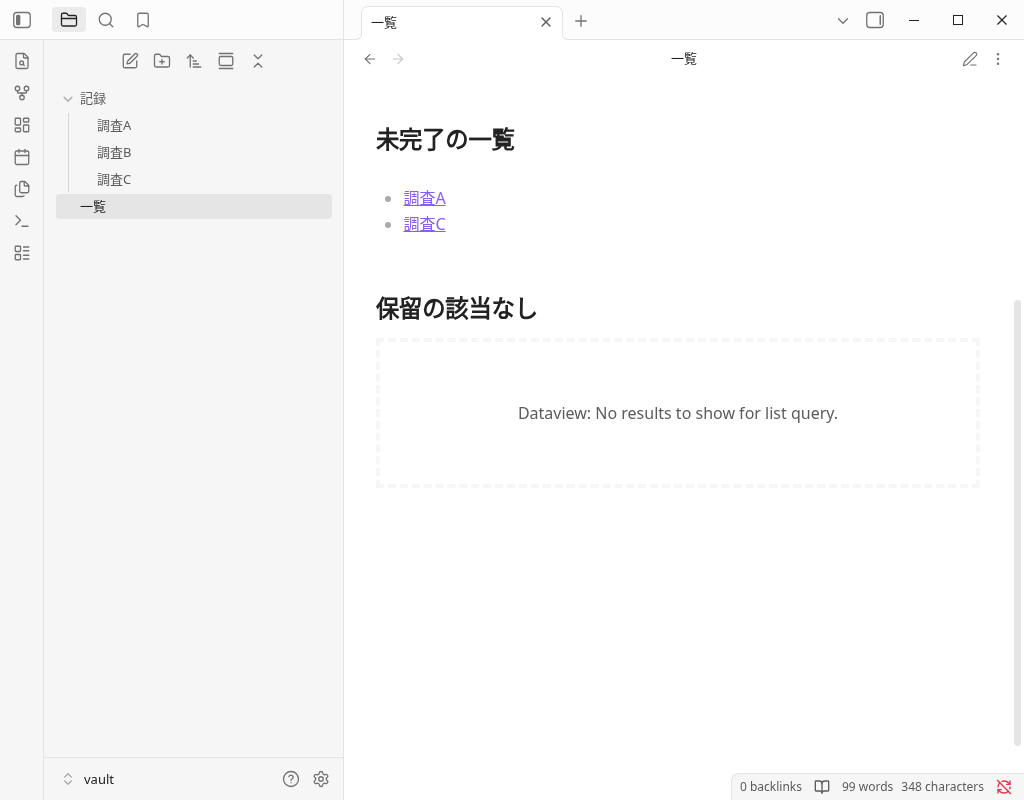
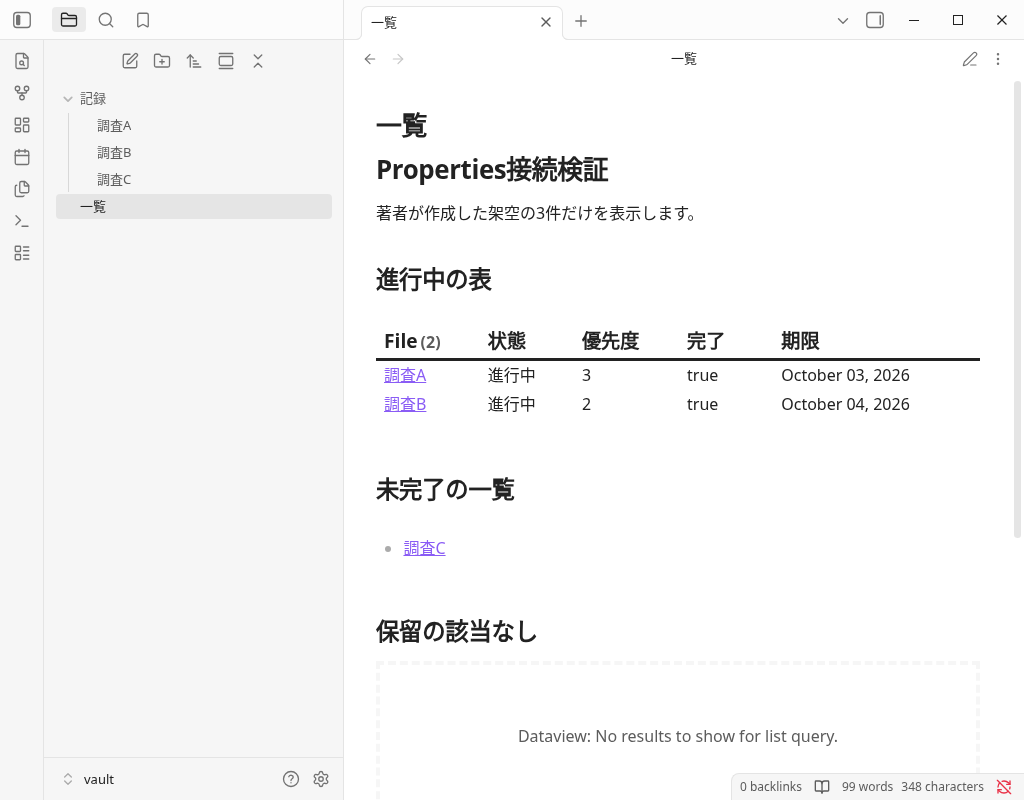
We verified the two TABLE entries before the change in the actual Reading view DOM, but the PNG captured at that time was scrolled below the table. The post-change PNG above shows the two table entries and one entry in the unfinished-notes list. We did not recreate the view or replace the images.
Open survey A and list notes again from the file list, and also confirm that the bytes of saved Markdown and SHA256 are the same. It is a re-display while the same app is running, and it is not a restart of the entire app or a confirmation of another device. As a result of the value being reflected in the display under this condition, the causality of increasing work speed and productivity is not measured.
Save four files in the final state
This is a file that copies the bytes of the original Markdown saved on the actual machine. The done of survey A is true. In the following configuration, the FROM of the query and the folder name are matched. The import in the reader's vault has not been verified.
保管庫/
  一覧.md
  記録/
    調査A.md
    調査B.md
調査C.md| Relative path in the vault | Saved original |
|---|---|
記録/調査A.md | Save 調査A.md (211 bytes) |
記録/調査B.md | Save 調査B.md (152 bytes) |
記録/調査C.md | Save 調査C.md (150 bytes) |
一覧.md | Save 一覧.md (472 bytes) |
The initial contents of the three records are created directly before verification. Item changes in survey A and query input of list notes are within the scope of GUI operation. B/C is not a record created from scratch in the GUI.
Frequently Asked Questions
Are the properties and frontmatter of Obsidian different data?
Do you want to set the type of property for each note?
What is the basic form of listing properties in Dataview?
What is the state of the downloaded example?
Official documents and the scope of this actual machine confirmation
The UTC date for GUI confirmation is September 30, 2026, and Japan time is October 1, 2026. The actual screen, saved original, fixed source, auxiliary correction, and the lack of end record are summarized in verification record. End Close was sent, but the end code of Obsidian has not been recorded due to the end order of the recorder.
- Confirmed: Linux Obsidian 1.13.7, five types of finite GUI operation, save YAML, DQL three-condition real Reading display, value change and re-display, save match during the same startup.
- Official description: Share the storage format and type of Properties, and confirm the frontmatter/QUERY/TABLE/LIST/WHERE of Dataview with fixed materials.
- Unconfirmed: Verification of all types and all inputs, security audits of plug-ins, all DQL/JS, app restart, iOS, synchronization, SimpleMemo cooperation, large storage, speed, productivity.
Official Properties (fixed commit) · Dataview official materials (fixed commit) · Confirmed stable release