Obsidian · Comparison of local first
Obsidian and Anytype: 2 approaches to local-first notes
This page was machine-translated from Japanese. Read the Japanese original
How to connect the Markdown at hand and how to assemble your own data model. Separate the actual saving example of Obsidian, the official description of Anytype, and the Linux startup screen to organize the selected axis.
Confirmation date: September 30, 2026 (UTC) · Author verification of Linux version
The axis you choose is the file and data model
If you value treating the saved text as a Markdown file, this Obsidian example will be the material for judgment. If you want to assemble the types and displays of information with your own data model, the official explanation of Anytype will be the entrance to consideration. Both only display "local" and do not have the same saving format and synchronization conditions.
In this article, we confirmed the four saved files and link display of Obsidian with the actual author Vault. Anytype actually started the official Linux version once and observed the welcome screen. Since it is not a comparison of the same task from both apps to saving and editing, the type of basis is specified in the table.
| Axis of comparison | Obsidian | Anytype |
|---|---|---|
| Save sentences | Save and reopen the Markdown of the author Vault with the actual GUI. You can get the original text below. | The official README describes offline-first/local storage. The internal storage format and actual storage operation have not been measured. |
| How to connect information | Follow the author's wikilink and finally observe four notes and three resolved links. | The official README explains its own data model, composable blocks, and custom Types. The creation of the actual object has not been confirmed. |
| Synchronization and encryption | Confirm the saving and reopening of this Vault. Synchronization and encryption are not subject to verification for this example. | P2P, end-to-end/zero-knowledge encryption is the description of the official README. Actual communication, implementation, and key management have not been measured. |
| This actual application observation | Linux version 1.13.7 actual General display, editing, saving, linking, reopening. | Launch of the selected official Linux AppImage 0.57.3, with two observations of the welcome screen. The version displayed in the interface was not checked. |
Obsidian: Check the saved text and links in the file
I placed three short Japanese notes on the isolated author Vault as input, added the reason for the relationship in the actual GUI, and created a new index. Put a link from the index to the two notes in the body, and reopen it after saving to make sure it matches the original file.
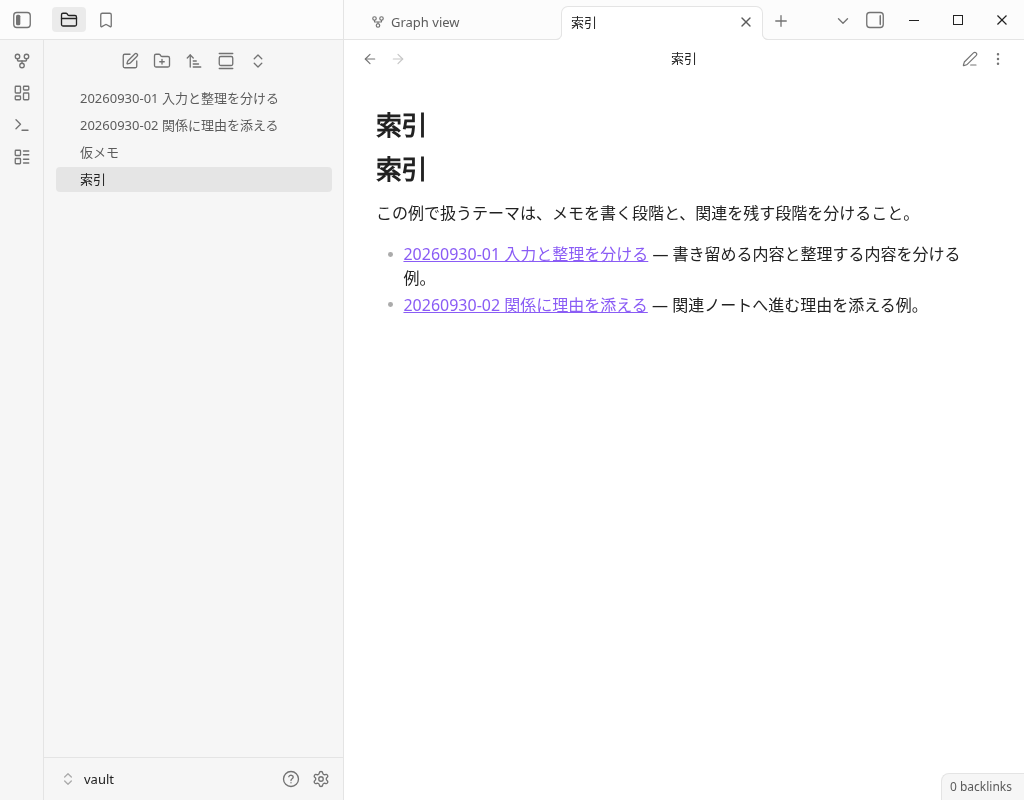
The following is the full text of the index that was actually saved. If you copy it, you can get the same text as the original file.
# 索引

この例で扱うテーマは、メモを書く段階と、関連を残す段階を分けること。

- [[20260930-01 入力と整理を分ける]] — 書き留める内容と整理する内容を分ける例。
- [[20260930-02 関係に理由を添える]] — 関連ノートへ進む理由を添える例。
In this example, the wikilink of the body represents the relationship to another note. Before adding a link, it became three notes and zero links, after adding the reason for the relationship, it became three notes and one link, and after adding the index, it became four notes and three links. The graph shows this saved content in a different way.
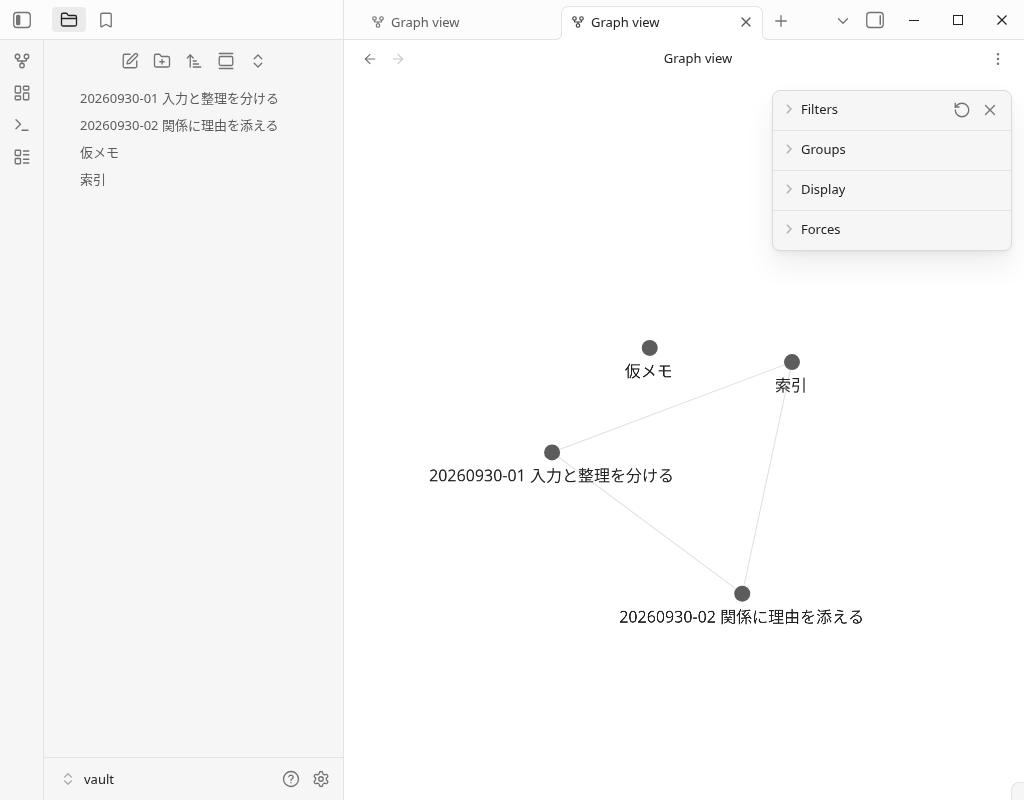
You can see that Markdown can be read as a file from this small actual storage example. Whether to interpret the same wikilink notation in other apps or reproduce additional functions is a different condition. The actual operation of detailed links, backlinks, and reading screens is summarized in Zettelkasten's author example.
Anytype: The real screen once the official Linux version was launched
Obtained the Linux AppImage of the official release v0.57.3, confirmed the match between the published file size 285,484,043 bytes and SHA256, and started it once. The following is the original PNG that observed the actual application for reading only.
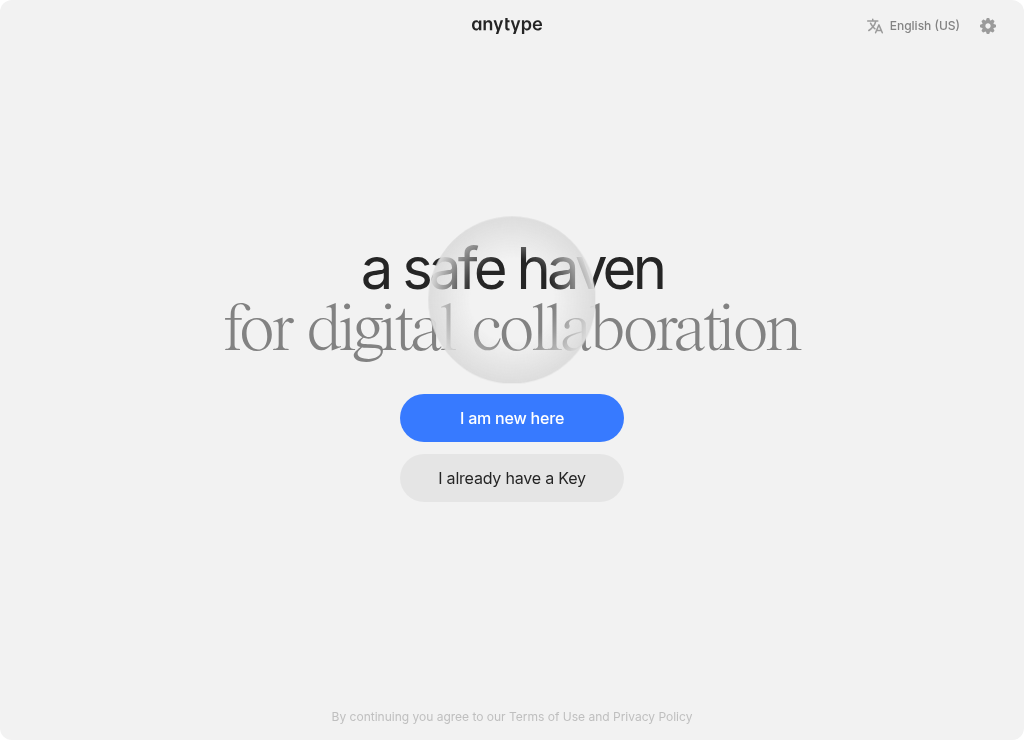
The same entrance was displayed in the second observation following. The way the animation looks has changed, but it is not the result of opening objects, editing screens, or workspaces after logging in. Another possession window is a blank New tab and is not counted as evidence of the workspace.
The same startup screen observed the second time
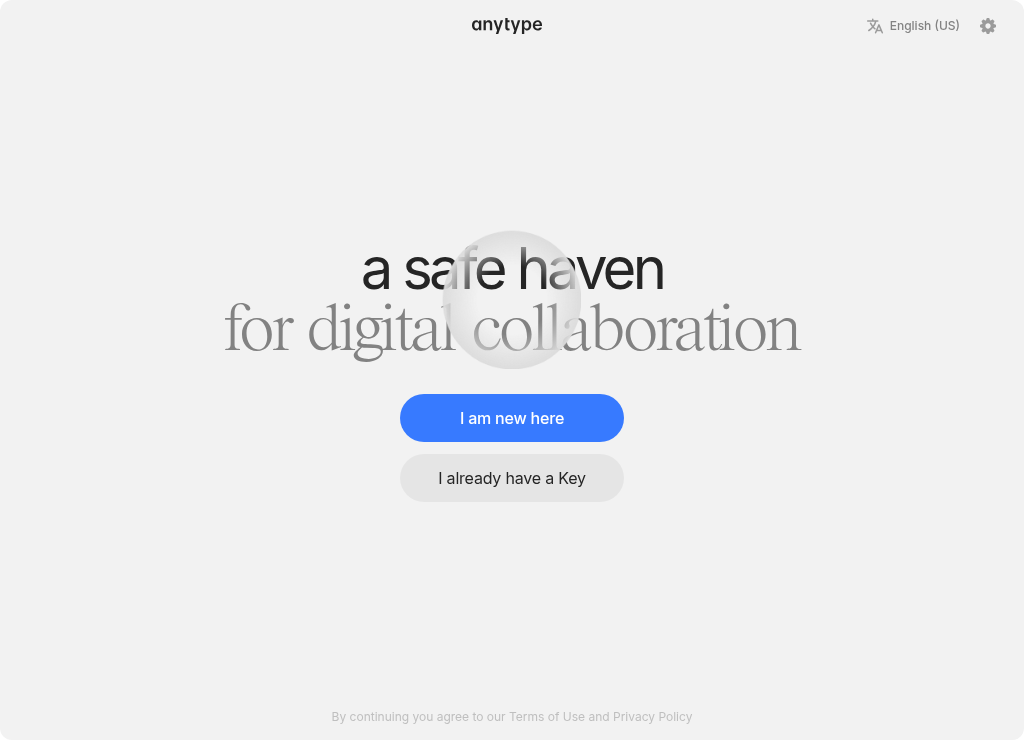
This unique example of actual machine startup is up to the welcome drawing of the official Linux version. We do not create accounts, log in, operate keys, import, create objects, or export. The 0.57.3 version is an official release, identification of fixed source and acquisition files, and it is not a claim to have confirmed the version display on the screen.
Official description of Anytype: Assemble your own data model
v0.57.3 describes Anytype as a personal knowledge base, creates pages, tasks, wikis, diaries, etc., and defines your own data model and introduces how to use it. In addition, it lists composable blocks such as text, database, kanban, calendar, and custom Types. This is not a function observed from this welcome, but an explanation based on the official source.
“Offline‑first, local storage with optional peer‑to‑peer sync.”
“Composable blocks: text, databases, kanban, calendar & custom Types.”
The same README describes end-to-end encryption and zero-knowledge encryption powered by any-sync. These describe a design involving local storage, optional P2P synchronization, and encryption. Our launch observation did not measure the internal storage format, communication with synchronization peers, encryption implementation, or key management and recovery.
For this reason, the Markdown preservation example of Obsidian and the design description of Anytype have different evidence. It can be used to determine whether you want to handle the text on a file basis or whether you want to design the type of information and display in a data model. The safety of both, the certainty of synchronization, and the ranking of reproducibility after export cannot be listed from this record.
Decide the conditions you value in your own notebook
- I want to have a file-by-file basis: If you read the Markdown example below, you can specifically check the text and link notation saved in Obsidian. We will separately grasp the necessary status, including the dependence of additional functions.
- I want to organize the same information by type and display: You can use the official data model description of Anytype as an entrance to consideration. The operation of the version you actually use and the entry and exit of the necessary data are separate confirmations from the saved example.
- To use multiple devices: Evaluate storage destinations, synchronization, recovery, and backups as separate requirements. The label “local-first” alone does not establish how a product behaves on phones or during synchronization.
After looking at the startup screen of the actual app and the saved text, it is easier to compare if you decide whether the information you handle daily is mainly text or information with types and displays.
Get an actual save example of Obsidian
ZIP contains the index, two links, and four original Markdown of the temporary memo in Japanese file names. The wikilink destination of the index is included, and the text of the original PNG and the original Markdown has not been processed. Anytype exports, real apps, plug-ins, settings and account information are not included.
This is a content for practice made by the author. The operation of placing it on the reader's Vault or importing it into another application is not included in the actual verification of this record.
Frequently Asked Questions
Are both Obsidian and Anytype local first?
Is Anytype an app that manages Markdown files as they are?
How far have you been able to confirm on the Anytype startup screen?
Is it always safer to be encrypted?
Is the distribution ZIP an export of Anytype?
Are you comparing the usability of smartphones and synchronization?
Documents and verification scope
- Anytype is a one-time startup and two reading observations of the official Linux AppImage v0.57.3. The original PNG of welcome has been posted. Clicks and account operations on the actual GUI are zero.
- Obsidian is another Linux author Vault's real GUI editing, saving, reopening and real file. Three pre-inputs, API, and paths using state reading and original copies are distinguished by verification records.
- Anytype termination is a record of sending SIGTERM to the ownership process and confirming the release of the app and Xorg's real wait0. It is not the result of clicking Close on the GUI.
- The original PNG and the bytes of the distributed Markdown and SHA256 are matched. The official source of Anytype uses the saved text linked to the fixed tag, and no additional source acquisition is carried out this time.
- Anytype v0.57.3 official release・Linux AppImage
- Anytype's fixed commit・Official README
- Obsidian's independent author example and saved file
- Verification record that summarizes the correspondence between the original and public files this time
Anytype's synchronization, encryption, storage format, object editing, export, mobile, SimpleMemo, speed, productivity, and inflow effects have not been verified. We have not verified the identity of the reproduction build of the official source and the distributed binary.
Next, test the relationship with the text to be saved
If you want to see the text and links of Markdown specifically, proceed to the author example of the four notes. The comparison between SimpleMemo and Anytype, including sending short notes and emails from iPhone, is in a comparison article with a different purpose.