Obsidian and memos
Choosing a self-hosted approach
This page was machine-translated from Japanese. Read the Japanese original
Both are "own" notebooks, but the ones you hold are different. Obsidian manages Markdown files, and memos manages web applications and databases by itself. I actually launched Memos 0.30.0 on my Mac and saved short notes to see the difference.
Conclusion: Do you have a file or run the service
If you want to treat the original notebook directly as a normal file, Obsidian. If you want to write briefly from the browser and treat the timeline, tags, and public scope as a single web app, memos is a candidate.
Self-hosting memos does not make the authoritative data the same Markdown folder used by Obsidian. During this launch, Memos initialized SQLite in its configured data directory. That flexibility comes with responsibility for operating the service, including backups and updates.
Comparison table: Similarity is the sense of ownership, the difference is the original
| Axis of judgment | Obsidian | memos |
|---|---|---|
| Mashomoto | Markdown file in the storage room | A database handled by web applications. The standard startup this time is SQLite |
| Main entrance | Open notes on desktop/mobile app | Post to the timeline from the browser composer |
| Organize | Folders, links, properties, plug-ins | Tag, search, calendar, pin, relations, Saved Views |
| Share | Select Publish separately | Have a public range for each memo |
| What you manage yourself | File placement and synchronization method | HTTPS at the time of server, data, update, backup, and publication |
| Confirmation this time | Official storage specification | Local startup of 0.30.0, administrator creation, Japanese memo saving |
The composition and operational responsibility of memos is confirmed in Official Binary Guide, and the editing, tags, Relations, and public scope are confirmed in Official Usage Guide.
I tried to start Memos 0.30.0 locally and save it
Obtained the Apple Silicon archive of the official GitHub Releases, confirmed that the public checksums and SHA-256 matched, and then started it in a non-public local environment.
- Start in a new data area.
When you specified a temporary directory dedicated to the task, SQLite was initialized and started with private access. - Create the first administrator.
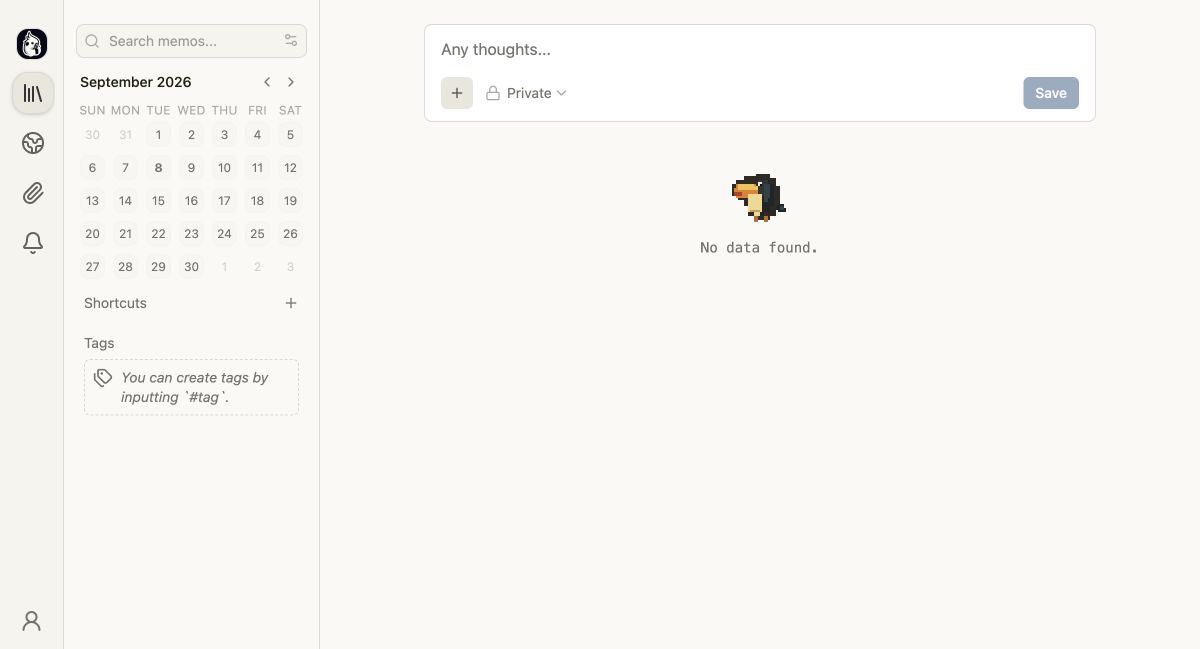
I created an administrator for local verification on the first screen. Search, calendar, tag, public range, and input fields are lined up on the home page. - Save a short note in Japanese.
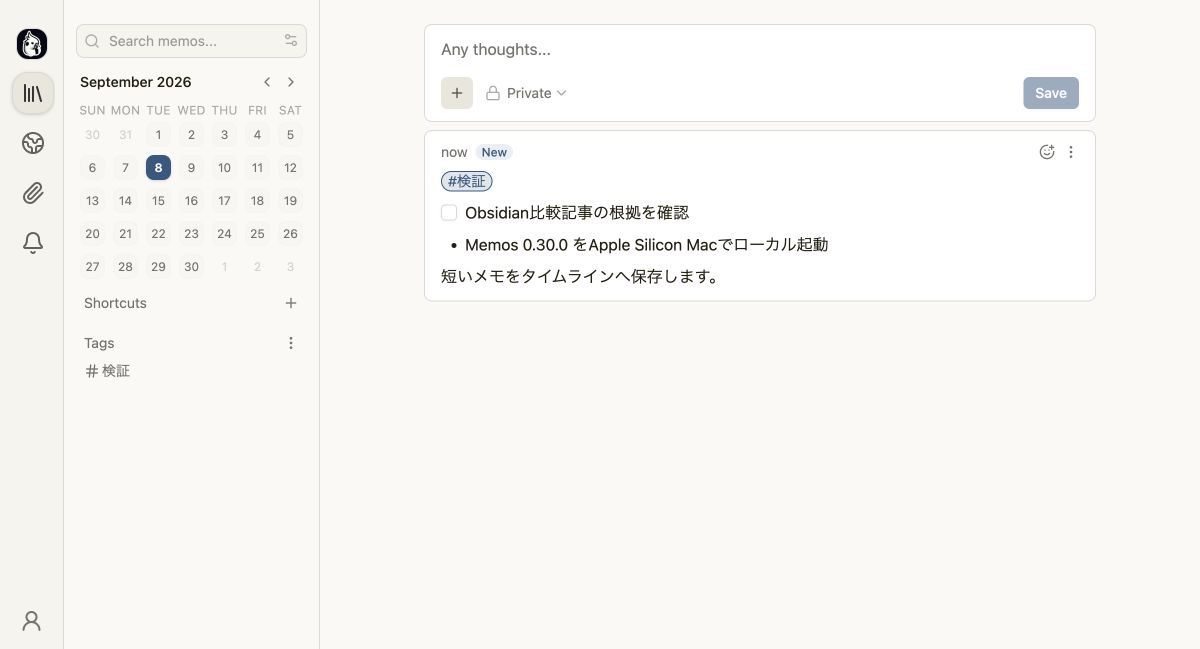
tags, uncompleted check items, bullets, and body were entered into one note. - timeline. A note was displayed immediately after saving
, a tag was added to the left, and 1 was displayed on the calendar of the day.
Even a self-host does not necessarily mean that you have "Markdown directly"
In Obsidian, you can check the substance of the notebook by opening the storage app with the file management app. Being able to read the same Markdown in another editor is an escape when changing tools.
memos provides a screen in which the server reads and writes the database. In the official document, the standard is SQLite, and you can also choose MySQL and PostgreSQL. While this is strong in the sense that you can put the data under your control, it is not a form of opening the Obsidian storage room and using it together. If you assume migration, you should try backing up, restoring, and exporting to the required format with a small amount before putting it into production. This time, they have not been verified.
Choosing memos increases the operational responsibility rather than the note function
Updates and backups are required even if you only use them at home or in-house. If you publish it to the Internet, it will also deal with domains, reverse proxy, HTTPS, access control, and recovery in the event of failure. The official guide also explains that binary users manage upgrades, rollbacks, process monitoring, data permissions, and HTTPS.
If you can enjoy the server operation itself, or if you already have an operating infrastructure, memos self-hosting is a natural choice. If you want to focus only on notes, the Obsidian, which handles local files, makes it easier to narrow the scope of responsibility.
No matter which one you choose, think about the moving entrance separately
Obsidian is a tool to store and connect knowledge, and memos is designed as a tool to stream short records to the timeline. However, the speed of leaving a word from Apple Watch and Siri is another issue. If SimpleMemo has the Obsidian link turned on, it will be added to the daily note of Obsidian, etc. while keeping the email. There is no function to post directly to memos. If the destination is Obsidian, it can be used as an auxiliary entrance.
Frequently Asked Questions
Which should I choose, Obsidian or memos?
Can memos use the Obsidian storage room as it is?
Is memos free of charge?
Verification environment and range
Actual machine confirmation: September 8, 2026, Apple Silicon Mac/macOS 26.4.1/Memos 0.30.0. The official darwin arm64 archive is released. It is matched with SHA-256 and activated locally only. SQLite initialization, private access, administrator creation, and saving of Japanese notes, tags, and tasks have been confirmed.
Unverified: External public, HTTPS, multiple users, Spaces, SSO, use with another terminal, backup recovery, upgrade, import/export, mobile, Obsidian migration, direct collaboration with SimpleMemo. Unverified operation is not guaranteed.
This is not an article in partnership with the comparison target. This site is operated by YURIKA, K.K., and information about the independent app "SimpleMemo" is also posted.